
Device ID Help
What is a Device ID?
Each mobile phone is equipped with a completely unique alphanumeric identitifier called a Device ID.
This is necessary to enable the transmission of voice and data to and from each unique mobile phone.
iPhone users may determine their DeviceID in two distinct ways.
via The WildLab iPhone Application
1. The first is to install The WildLab onto your iPhone by purchasing it from the iTunes App Store.
2. Once installed and The WildLab has been launched, select the Help tab and scroll to the bottom.
3. Copy your 40 character alphanumeric Device ID which is listed towards the bottom of the screen.
via iTunes
1. After launching iTunes on your computer, connect your iPhone via your usb cable.
2. Select your iPhone from the list of Devices.
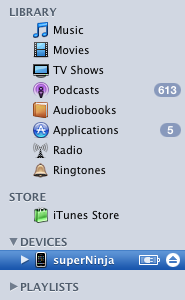
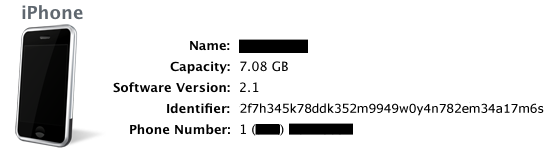
3. The following information will be displayed on the Summary tab.

4. Click on the "Serial Number:" will reveal your iPhone's unique Device ID, labeled here as "Identifier". Copy this string.
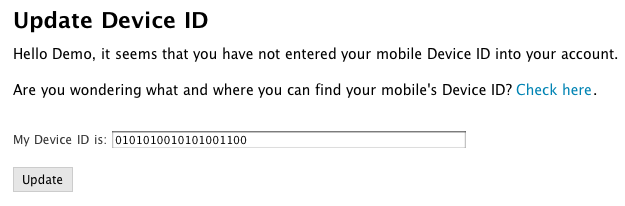
5. Log into your account on The WildLab and select Update Device ID.

6. Enter in your 40-character alphanumeric string and select "Update". You are now ready to begin birding.
 Mediated Spaces, Inc.